Mobile PDF suite for editing, scanning, signing, and converting
Edits and signs PDFs directly on Android, combining a viewer, editor, mobile scanner, and AI assistant into a single workflow. WisePDF: PDF Reader & Editor, from Athenix JSC, packages reading, OCR scanning, conversion, and electronic signatures in one app. The app offers file management tools, multiple reading modes, and AI-powered summarization. It fits business professionals and students who need end-to-end document work on a smartphone.
What is WisePDF used for?
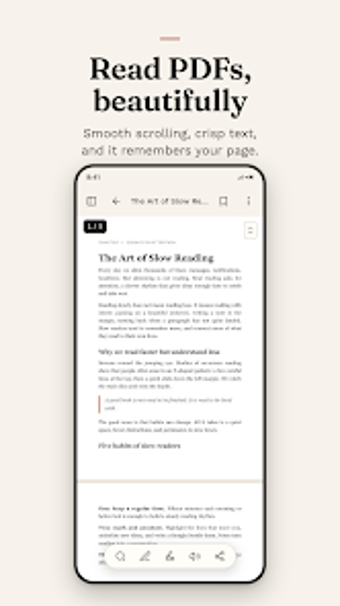
WisePDF acts as a mobile document workstation, pairing a high-performance PDF viewer with editing and conversion capabilities. The app provides smooth scrolling, flexible zoom, and search for reading, plus direct text and image editing inside PDFs. It supports electronic signatures and form filling, which lets users complete contract and approval tasks without switching apps. The app also claims an AI assistant for summarization and translation.
What can you do with the app during a typical workflow?
The app supports an end-to-end workflow: capture paper with the built-in scanner and OCR, edit or annotate the resulting PDF, then merge, split, reorder, rotate, or compress files before exporting. Conversion tools handle Word, Excel, PowerPoint, and image formats, so a document captured on camera can be exported to an editable Word file. File operations and form filling let a single device carry a full document lifecycle.
Is the interface and onboarding suitable for professional use?
The interface is modelled after familiar office productivity software, which reduces orientation time for people used to desktop suites. Multiple reading modes, including Light, Dark, and Paper, support long sessions. Offline reading and basic editing work without a constant connection, so professionals who travel or work in low-connectivity settings keep access to documents and annotations.
How does WisePDF handle compatibility and performance?
The app converts between PDF and standard office formats and images, and it adds password protection to secure files. Athenix positions the viewer as high-performance with smooth scrolling, which supports reading large reports on mobile. Export and conversion paths for Word and images are explicit, enabling handoff to desktop workflows when necessary while keeping document fidelity on the device.
Who should use WisePDF and when it’s not the right fit
WisePDF suits Android professionals who need complete, on-device document handling: scanning, editing, signing, and AI summarization in one app. The app concentrates on mobile workflows rather than cross-platform desktop editing, so teams that require native desktop clients for heavy batch processing or integrated enterprise back-ends may find it limited. For Android-first document work, it performs well and reduces app switching.